Pony Coloring Book for Kids
Reviews
Sweet Pony Coloring Book offers a straightforward coloring experience with five distinct pony designs. The controls are responsive and easy for small hands to use. Children can experiment with colors without frustration. The ability to save artwork adds value, as kids can share their work or revisit it later. The game loads quickly and works on any device. It is a solid choice for parents looking for a safe, creative activity that requires no setup or supervision. The lack of ads and in-app purchases makes it especially family-friendly.
About This Game
Game Introduction
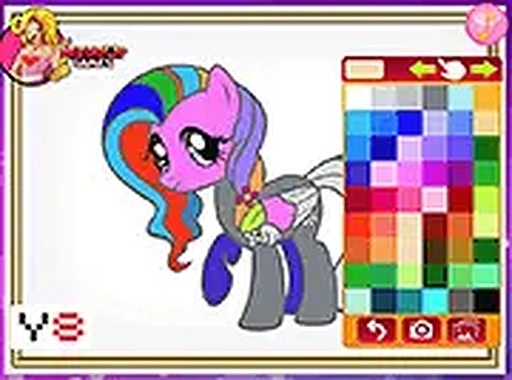
Sweet Pony Coloring Book is a simple and engaging online coloring game designed for children. The core objective is to allow kids to explore their artistic side by coloring various pony outlines. The game offers a wholesome and ad-free environment, focusing purely on creative play. It is particularly suitable for toddlers and young children who are developing hand-eye coordination, as the interface is intuitive and responsive to both touch and mouse controls. The game runs entirely in the browser without the need for any software installation or updates, making it easily accessible for parents seeking a safe and educational screen time activity.
How to Play
To play, children start by selecting a pony from the main menu. Each pony has a unique design and pose. After choosing a pony, they pick a color from the palette displayed at the bottom of the screen. Then, they tap or click on the area of the pony they wish to color. The game fills the selected region with the chosen color. Children can switch colors at any time and color over previous sections. There are no timers or scores, so kids can work at their own pace. Once the coloring is complete, they can save a PNG file of their finished artwork to their device, which can be printed or shared.
Game Features
The game includes five unique pony designs with different poses and themes. A color palette offers a variety of hues, including bright and pastel options. A save function allows children to keep a permanent record of their creations. The game is compatible with desktop computers, tablets, and smartphones. No registration or personal information is required to play. The interface is designed for young children, with large buttons and simple icons. The game loads quickly and works offline after the initial page load, providing a reliable and focused creative experience.
Tips for Success
Encourage children to experiment with different color combinations to develop their creativity and color recognition. Let them work at their own pace without pressure, as the game has no timers or scores. Use the save feature to create a portfolio of their artwork, which can be a great way to track their artistic progress. For a more focused experience, use the full-screen mode. Parents can also sit with their children and discuss the colors and designs, turning the activity into a bonding and educational moment.