Toy Car Parking Puzzle
Reviews
Description
Game Introduction
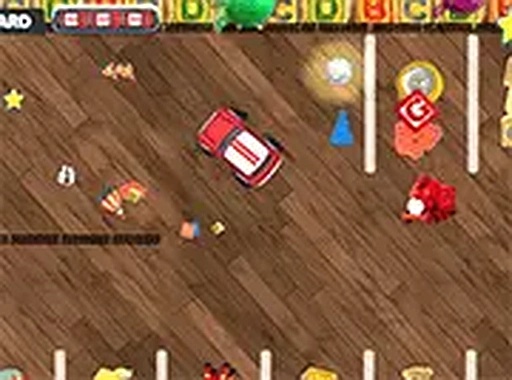
Toy Car Parking Puzzle is a family-friendly driving and puzzle game set in a colorful miniature world. Players take control of a small toy car and explore levels filled with playful obstacles like building blocks and toy trains. The main goal is to collect all the shiny stars scattered around each stage and then guide the car to a marked parking spot. While the early levels are simple, later stages introduce more complex layouts and tighter spaces that require careful planning. The game is designed to be accessible for children and enjoyable for adults, offering a relaxing yet engaging experience. It runs directly in a web browser on both desktop and mobile devices, so no downloads are needed. The cheerful toy theme and bright visuals create a welcoming atmosphere for players of all ages.
How to Play
Players control the toy car using keyboard arrow keys on a desktop or on-screen touch controls on a mobile device. The objective is to drive over every star in the level to collect them, then park the car on the glowing parking spot. Levels start with simple paths but gradually introduce more obstacles and tighter corners. Taking time to plan the route helps avoid bumping into blocks or missing stars. The controls are responsive and easy to learn, making the game suitable for young players. For a better view, players can switch to full-screen mode. The game encourages patience and precision rather than speed.
Game Features
The game includes a fun toy theme with bright, colorful visuals. Players collect stars and complete parking challenges across multiple levels. The content is family-friendly and suitable for all ages. No downloads or installations are required, as the game runs directly in a web browser. It is playable on both desktop computers and mobile devices, with touch controls available for smartphones and tablets. The levels gradually increase in difficulty, providing a steady challenge. The game focuses on puzzle-solving and driving skills in a safe, non-violent environment.
Tips for Success
Take a moment to study the level layout before moving. Planning a route helps avoid obstacles and ensures all stars are collected. Approach the parking spot slowly to improve precision. Using full-screen mode can make it easier to see the entire level. If a particular path seems blocked, try going around obstacles. Practice regularly to improve control and speed. Most importantly, enjoy the playful toy world and have fun with each puzzle.



Player Comments
Sign in to comment
You must be logged in before posting a review or rating.
No account? Create one
No comments yet. Be the first to comment!