Miniracer Arcade Driving Challenge
Reviews
Miniracer Arcade Driving Challenge excels at delivering a simple yet addictive racing experience. The focus on personal lap times rather than opponents makes it a relaxing game for quick sessions. The browser-based play and straightforward controls mean you can jump in instantly. While it lacks variety in tracks or cars, the core gameplay is polished and rewarding for those who enjoy incremental improvement.
About This Game
Game Introduction
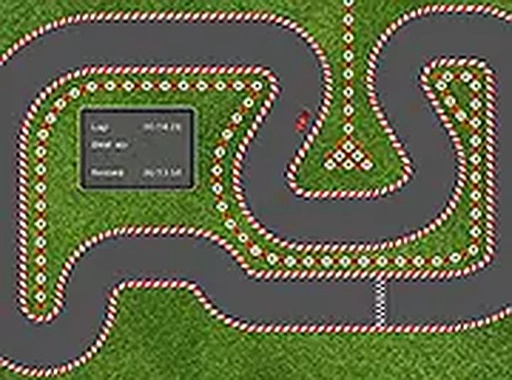
Miniracer Arcade Driving Challenge is a straightforward browser-based racing game that emphasizes speed and precision on a simple track. The primary objective is to drive your car as fast as possible to achieve the best lap time. Unlike many racing games that focus on competing against opponents, Miniracer centers on personal improvement. This makes it a relaxing yet challenging experience for players who enjoy honing their driving skills. The game is designed for quick gaming sessions and runs directly in your browser, so you can start playing instantly without any downloads or installations. With its simple approach, Miniracer appeals to both casual gamers and racing enthusiasts who appreciate a focused driving challenge.
How to Play
To play Miniracer, you control your car using keyboard inputs. Typically, the arrow keys are used for steering and acceleration, allowing you to navigate the track smoothly. Your goal is to complete each lap as quickly as possible, with the game tracking your lap times so you can monitor your progress. There are no complex rules or opponents—just you, the car, and the track. Focus on smooth driving and finding the fastest racing line to improve your time. The game is optimized for desktop play, so a keyboard or mouse is recommended for the best experience.
Game Features
Miniracer includes simple controls that make it easy to pick up and play. The game features track racing with a focus on lap times, allowing you to challenge yourself to beat your personal records. A full-screen mode is available for an immersive racing experience. The game is free to play and requires no downloads, as it runs directly in your browser. These features combine to create a straightforward and enjoyable arcade racing game that you can access anytime.
Tips for Success
To improve your lap times in Miniracer, practice smooth steering and consistent acceleration. Avoid sharp turns that can slow you down, and try to maintain a steady speed through corners. Learning the layout of the track will help you anticipate turns and find the fastest racing line. Regular practice is key to shaving seconds off your time, so keep racing and focus on incremental improvements. Staying calm and focused will help you achieve better results over time.