Multiplayer Racing Challenge
Reviews
Multiplayer Racing Challenge delivers an engaging browser-based racing experience with three distinct maps and a helpful drift mode. The free ride option allows for relaxed exploration, while obstacle challenges add excitement for those seeking more action. It is easy to start and runs smoothly on desktop.
About This Game
Game Introduction
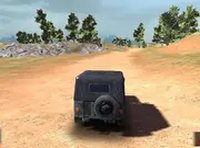
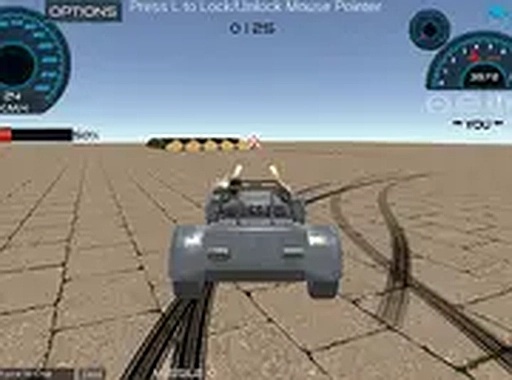
Multiplayer Racing Challenge is a browser-based driving game that brings players together for friendly racing competition. The core objective is to select a car that matches your personal style and compete against others on three different maps. Each map features its own terrain, which keeps every race feeling distinct and engaging. The game includes a strong drift mode that assists with handling sharp turns smoothly, making it accessible for drivers of all experience levels. For those seeking additional excitement, certain obstacles can be enabled to test reflexes and quick thinking. If you prefer a more relaxed experience, the free ride mode allows you to drive around without any time limits or competition. This game focuses on fun driving action, perfect for players who enjoy speed and lighthearted rivalry. It runs directly in your browser, so you can start playing immediately without any downloads or installations. The game is designed for desktop play, ensuring a smooth and responsive experience on a computer.
How to Play
To play Multiplayer Racing Challenge, you start by selecting a car from the available options. Then, you can create a new room or join an existing one to race with other players. You can choose from three maps, each offering different driving conditions. Use your keyboard or mouse to control your car. The strong drift mode can be activated to improve handling during sharp turns. If you want more challenge, you can enable obstacles that require quick reactions. For a relaxed experience, switch to free ride mode and explore the maps at your own pace. The game is designed for desktop play, so using a computer provides the best experience.
Game Features
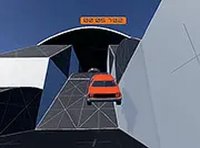
Game features include multiplayer driving action that lets you race against real players. There are three maps with unique terrain to explore. The strong drift mode helps you take sharp turns smoothly. Obstacle challenges test your reflexes and add excitement. Free ride mode allows you to drive without competition or time limits. All features are accessible directly in your browser.
Tips for Success
To improve your performance, practice using the drift mode on different maps to master sharp turns. Pay attention to the terrain of each map and adjust your driving style accordingly. In multiplayer races, stay aware of other players' positions to avoid collisions. Use free ride mode to explore maps and learn shortcuts without pressure. Regular practice will help you react faster to obstacles and improve your overall racing skills.