Outpost Horizon Station Arcade
Reviews
Outpost Horizon Station stands out with its rotating 360° platform that forces you to constantly adjust your position. The bullet-hell action is intense but fair, with waves of aliens that test your reflexes. The game is free and offers high replayability as you try to survive longer each time. It is a great choice for quick gaming sessions and provides a satisfying sense of progression.
About This Game
Game Introduction
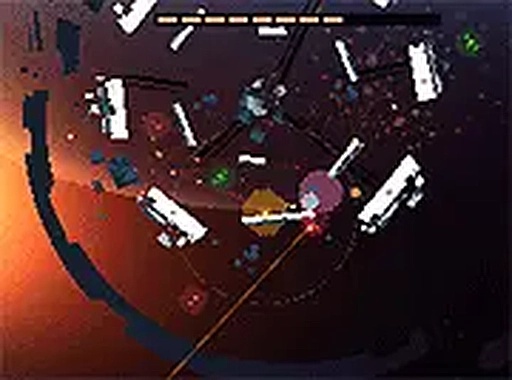
Outpost Horizon Station is a fast-paced bullet-hell platformer set on a derelict farming station called Tragic Horizon. Once a peaceful outpost, it is now overrun with hostile aliens, and players must fight back. The game features a unique rotating 360° platform, where you sprint around the center of gravity to dodge enemy fire and take down alien threats. Designed for desktop play, this free-to-play title offers intense action and a therapeutic sense of revenge. With its engaging mechanics and fast-paced gameplay, Outpost Horizon Station is perfect for fans of shoot 'em up games looking for a fresh challenge.
How to Play
In Outpost Horizon Station, you control a character on a rotating 360° platform. Use your keyboard or mouse to sprint around the center of gravity, dodging incoming alien attacks while firing back. The goal is to survive as long as possible by taking down waves of hostile aliens. The game's bullet-hell mechanics require quick reflexes and strategic movement. Play in full screen mode for a more immersive experience. Remember, the platform rotates constantly, so you must adapt your positioning to avoid enemy bullets and keep your aim true. Each playthrough is a test of skill and endurance.
Game Features
Rotating 360° platform gameplay. Bullet-hell action. Free to play online. Full screen mode support. The game offers a unique twist on the platformer genre by combining constant rotation with intense shooting. Players can expect a challenging experience that rewards practice and quick decision-making.
Tips for Success
To succeed in Outpost Horizon Station, focus on mastering movement around the rotating platform. Keep an eye on enemy bullet patterns and learn to anticipate their trajectories. Use the full screen mode to minimize distractions. Practice regularly to improve your reflexes and timing. Remember that survival is key, so prioritize dodging over attacking when necessary. Stay calm under pressure and adapt to the ever-changing battlefield.