Arcade Street Driving Challenge
Reviews
Description
Game Introduction
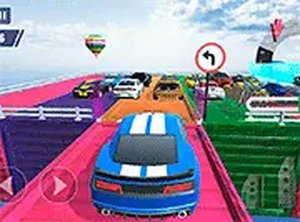
Arcade Street Driving Challenge brings the excitement of classic arcade racing to your browser. In this game, you take on the role of one of two friends, Ratty or Weasel, as you compete to outrun other cars and reach a goal line. The road features five different paths, making each race feel unique and unpredictable. Police speed traps add an extra layer of challenge, requiring quick thinking to avoid getting caught. With its retro-inspired visuals and smooth performance on modern devices, this game offers a nostalgic yet accessible racing experience for all ages.
How to Play
Players control their car using the left and right arrow keys on a keyboard or touch controls on mobile devices. The objective is to accelerate past other vehicles and choose a route to one of five goal lines. When approaching a police speed trap, you must either slow down or switch lanes to avoid being stopped. The game runs directly in your browser without any downloads, and you can switch to full-screen mode for a larger view. It works seamlessly on both mobile phones and desktop computers, making it easy to play anywhere.
Game Features
This game includes retro arcade-style graphics and sounds that evoke the feel of classic racing games. Multiple track paths ensure that each race offers a different experience, adding replay value. Police speed traps introduce a fun strategic element, requiring players to decide when to speed up or evade. The game supports both mobile and desktop play, with touch and keyboard controls available. It is free to play in your browser with no downloads or installations needed, making it accessible to everyone.
Tips for Success
To improve your performance, practice steering smoothly to avoid collisions with other cars. Pay attention to the road ahead and plan your lane changes early, especially when approaching police speed traps. Experiment with different routes to find the fastest path to the goal line. Staying calm and focused during races can help you react quickly to obstacles. Regular play will help you learn the patterns of traffic and police traps, leading to better race times.









Player Comments
Sign in to comment
You must be logged in before posting a review or rating.
No account? Create one
No comments yet. Be the first to comment!