Bloom Space Explorer Online
Reviews
Bloom Space Explorer Online is a free browser-based arcade game that delivers engaging space exploration gameplay. The controls are responsive, and the power-up collection adds strategic depth. Full screen mode enhances immersion, and the family-friendly content makes it suitable for all ages. A great choice for casual desktop gaming.
About This Game
Game Introduction
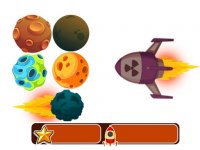
Bloom Space Explorer Online is a free browser-based arcade game that brings classic space exploration action to your desktop. In this game, you control a spaceship navigating colorful cosmic environments. The core objective is to collect power-ups scattered across the galaxy and use them to attack and defeat enemies. This game combines simple controls with engaging gameplay that appeals to fans of arcade action games. It is designed exclusively for desktop play and runs smoothly using a keyboard or mouse. You can play directly without any downloads or installations. Full screen mode is available for a more immersive experience. The game is family-safe and suitable for all ages.
How to Play
Use your keyboard and mouse on a desktop computer. Move your spaceship with the arrow keys or WASD controls. Explore the space arena and collect glowing power-ups that appear on screen. These power-ups enhance your ship's abilities and make you stronger against enemies. Use the mouse to aim and click to fire at hostile ships and obstacles. The goal is to survive and defeat as many enemies as possible while gathering power. The game features a competitive .io style, allowing you to challenge other players or AI opponents. For a more immersive experience, activate full screen mode by clicking the button in the game interface. Bloom is easy to pick up but offers increasing challenges as you progress. Keep moving and collect power-ups strategically to dominate the battlefield.
Game Features
Bloom Space Explorer Online includes space exploration gameplay with .io mechanics. Power-up collection enhances your ship's abilities. Full screen mode provides deeper immersion. It is a free browser game with no downloads required. The game is designed for desktop computers with keyboard and mouse controls. Content is family-friendly and suitable for all ages. The game offers smooth performance and responsive controls for an enjoyable experience.
Tips for Success
To succeed in Bloom Space Explorer Online, focus on collecting power-ups as they appear to strengthen your ship. Keep moving constantly to avoid enemy fire and obstacles. Practice aiming with the mouse to improve your accuracy. Learn the patterns of enemy movements to anticipate attacks. Take advantage of full screen mode for better visibility. Regular practice will help you master the controls and increase your score. Stay alert and adapt your strategy as the game's difficulty increases.