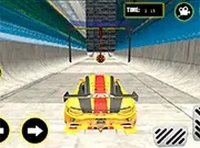
Arcade Armor Fury Battle
Reviews
Arcade Armor Fury Battle delivers straightforward arcade fun with responsive controls and a full-screen mode. The game is easy to pick up, requiring no registration, and offers a satisfying challenge as you aim to defeat enemy vehicles. Its browser-based design makes it accessible for quick breaks, while the dynamic battlefield keeps each session engaging.
About This Game
Game Introduction
Arcade Armor Fury Battle is an online arcade game that focuses on fast-paced combat. Set on a dynamic battlefield, your primary objective is to defeat as many enemy armored vehicles as possible. The game is designed for desktop play and runs directly in your browser, requiring no downloads or registration. With a full-screen mode available, you can immerse yourself in the action. Inspired by classic arcade games, Arcade Armor Fury Battle offers straightforward, adrenaline-pumping fun for players of all ages.
How to Play
Playing Arcade Armor Fury Battle is simple. Use your keyboard or mouse to control your armored vehicle and aim at enemy vehicles on the battlefield. Your mission is to defeat as many enemies as you can while avoiding incoming fire. The game is optimized for desktop computers, so a keyboard or mouse is recommended for the best experience. To start, just load the game in your browser. For a more immersive view, click the full-screen button. Keep moving and engaging to rack up your score—each successful hit on an enemy vehicle adds to your tally. There are no complex rules, just pure arcade action.
Game Features
Arcade Armor Fury Battle includes several features that enhance the gameplay experience. It is free to play online, with no downloads or registration required. The game supports full-screen mode for a more immersive experience. Controls are simple and responsive, using keyboard and mouse inputs designed for desktop users. The game runs directly in your browser, making it easy to jump into the action quickly.
Tips for Success
To succeed in Arcade Armor Fury Battle, practice maneuvering your armored vehicle to avoid enemy shots while maintaining a steady aim. Keep moving to make yourself a harder target. Focus on defeating enemies efficiently by aiming carefully. Use the full-screen mode to reduce distractions and improve your focus. As with any arcade game, regular practice will help you improve your reflexes and scoring. Stay alert and adapt to the battlefield dynamics to maximize your performance.