Covert Operative Challenge
Reviews
Description
Game Introduction
Covert Operative Challenge is a fast-paced action title where players assume the role of a secret operative. The core mission is to infiltrate various locations and prevent a mysterious game from restarting. Players must overcome all guards in each area within a set time limit. The game features multiple levels with increasing difficulty, offering a clear objective and a sense of progression. It is designed for desktop play and works best with a keyboard or mouse. The game is free to play and includes a full-screen mode for an immersive experience.
How to Play
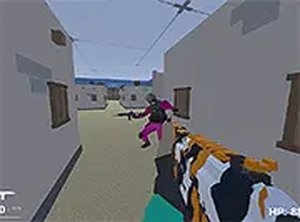
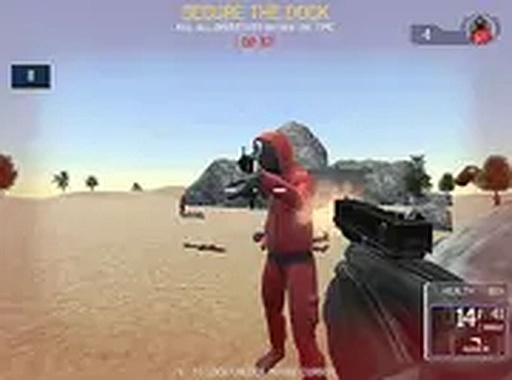
Players control their character using keyboard keys such as WASD or arrow keys to move around the environment. The mouse is used to aim and click on enemies to overcome them. Throughout each level, players can collect med kits to restore health and ammo boxes to replenish ammunition. The goal is to overcome all guards in a level before the time runs out to unlock the next mission. Quick and efficient takedowns lead to higher scores. The game also includes achievements that can be unlocked as players progress through the levels.
Game Features
The game includes exciting missions with time challenges that test your speed and accuracy. A leaderboard system allows players to compare their scores with others. Multiple levels are available, each increasing in difficulty to provide a steady challenge. Achievements can be unlocked as you play, adding extra goals. Full-screen mode is supported for a more immersive experience. The game is free to play and requires no downloads, making it accessible directly in a web browser.
Tips for Success
To succeed in Covert Operative Challenge, practice your aim and movement to overcome enemies quickly. Prioritize collecting med kits and ammo boxes to maintain your health and firepower. Learn the layout of each level to anticipate enemy positions and plan your route. Focus on completing levels efficiently to earn higher scores and climb the leaderboard. Regularly check your progress toward achievements to stay motivated. With practice, you can improve your reaction time and master the time challenges.






Player Comments
Sign in to comment
You must be logged in before posting a review or rating.
No account? Create one
No comments yet. Be the first to comment!