Heroic Rescue Quest Online
Reviews
Description
Game Introduction
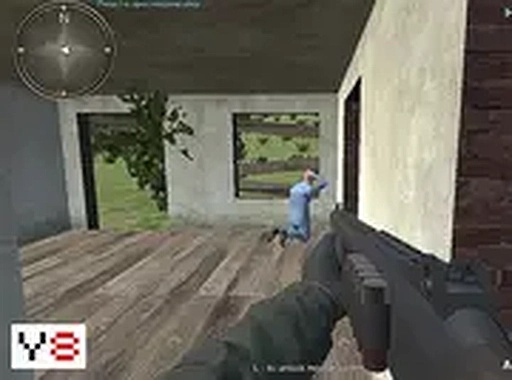
Heroic Rescue Quest Online is a free-to-play browser game where players take on the role of a hero on a critical mission. The core objective is to rescue 15 hostages held captive in different cottages, each protected by enemy guards. Players must carefully navigate through each cottage, overcome threats, and free every hostage they find. Along the way, they can visit the item shop to buy new tools or restore energy when they have enough resources. The game is designed for desktop play and works best with a keyboard or mouse. It is free to play and runs directly in your browser, with full screen mode available for a more immersive experience. This action-packed game challenges reflexes and strategic thinking as players work to save lives and complete their mission. What makes it unique is the combination of stealth, resource management, and upgrade mechanics, all within a family-friendly setting.
How to Play
To play Heroic Rescue Quest Online, use your keyboard and mouse to control your character. Move through the game world to reach each cottage where hostages are held. Use your blaster to clear your path from enemy guards. When you find a hostage, interact to release them. Collect resources from defeated enemies or found items to spend at the item shop. Visit the shop to purchase better tools or restore your health. Your mission is complete when all 15 hostages are rescued. The game is straightforward: stay active, rescue, and upgrade your gear to succeed.
Game Features
Heroic Rescue Quest Online includes several features that enhance gameplay. You can rescue hostages from guarded cottages, each presenting unique challenges. The in-game shop allows you to buy tools and restore health using resources you collect. The game is free to play with no download required, making it accessible from any desktop browser. Full screen mode provides an immersive experience. The controls are designed for keyboard and mouse, offering precise movement and aiming.
Tips for Success
Stay alert and move carefully to avoid enemy detection. Prioritize collecting resources from defeated enemies to afford useful upgrades. Visit the item shop regularly to improve your tools and restore health. Plan your route through each cottage to minimize risk. Practice your aim and movement to handle threats efficiently. Patience and strategy will help you rescue all hostages successfully.








Player Comments
Sign in to comment
You must be logged in before posting a review or rating.
No account? Create one
No comments yet. Be the first to comment!