Space Guardian Arcade Action
Reviews
Description
Game Introduction
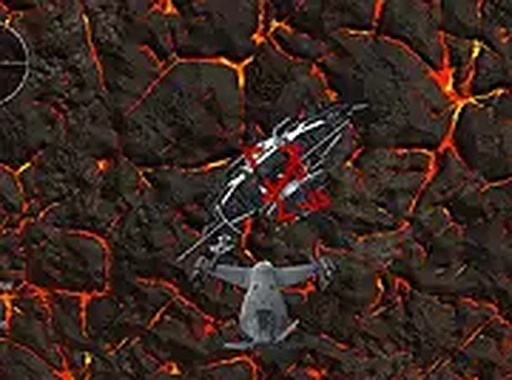
Space Guardian Arcade Action is a browser-based game set in outer space. Players take control of a spaceship with the mission to clear a path through asteroid obstacles. After navigating these challenges, the ultimate objective is a direct encounter with the mother ship. The game combines both elements in a final stage, requiring focus and quick reactions. Developed for desktop play, this game offers an immersive space experience directly in your browser. With full-screen support, players can fully engage in the cosmic action. Whether you enjoy space battles or action games, Space Guardian Arcade Action provides continuous fun and excitement. It is completely free to play, making it accessible to anyone who loves a good challenge in the vastness of space.
How to Play
To play Space Guardian Arcade Action, use a keyboard and mouse on a desktop computer. Control your spaceship with the arrow keys or WASD to navigate through space. Aim and interact with targets using the mouse or designated keys. The primary objective is to overcome all asteroid obstacles in the first mission. Once that is complete, engage the mother ship in a direct encounter. The third mission combines both challenges, requiring you to manage multiple elements simultaneously. Stay alert, dodge incoming hazards, and focus on survival to succeed. The game runs smoothly in your browser, and you can activate full-screen mode for a more immersive experience. Practice your aiming and maneuvering skills to conquer each level and emerge victorious in this interstellar challenge.
Game Features
Fast-paced 3D space action gameplay. Multiple challenge types including asteroid obstacles and a mother ship. Full-screen support for an immersive experience. Desktop-optimized controls using keyboard and mouse. Free to play with no downloads required.
Tips for Success
Space Guardian Arcade Action rewards practice and quick reflexes. The three missions provide a natural progression, and full-screen mode makes each encounter feel intense. It is a great choice for a short gaming session or a longer space action marathon.






Player Comments
Sign in to comment
You must be logged in before posting a review or rating.
No account? Create one
No comments yet. Be the first to comment!