Arcade Driving Challenge
Reviews
Description
Game Introduction
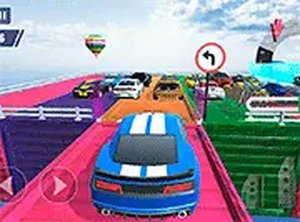
Arcade Driving Challenge is a driving game that runs directly in a web browser. It places the player in control of a car within a 3D environment, offering the freedom to drive without restrictions or to follow specific objectives. The game includes two main modes. Free Mode allows players to explore the track at their own pace, which is useful for learning the controls or simply enjoying the drive. Career Mode presents a series of levels, each with a distinct goal such as reaching a certain point or performing a maneuver. The game is designed for desktop computers and supports full screen viewing for a more focused experience. It requires no download or installation, so play can begin immediately. The controls are straightforward, and the challenge increases gradually, making it suitable for both newcomers and experienced players.
How to Play
Players control the car using the keyboard. The arrow keys are used for steering and acceleration. The up arrow moves the car forward, the down arrow reverses or brakes, and the left and right arrows steer. The spacebar is used for braking or performing maneuvers, depending on the situation. In Free Mode, players can drive around the track to practice. In Career Mode, on-screen instructions guide the player for each level. Objectives may include driving to a specific location, completing a lap, or performing a maneuver. The game is best played on a desktop computer with a keyboard and mouse. Full screen mode can be activated by clicking the full screen button. Starting with the early levels helps players become comfortable with the controls before moving on to harder challenges.
Game Features
Game features include a Free Mode for unrestricted driving practice, a Career Mode with multiple levels and varied objectives, keyboard controls optimized for desktop use, full screen support for an immersive view, and instant browser play without any downloads. The game is free to play and works on most modern web browsers.
Tips for Success
Arcade Driving Challenge offers a balance of freedom and structure. Players can practice without pressure or take on challenges that test their driving precision. To succeed, start with Free Mode to master steering and braking, then tackle early Career levels to build confidence. Focus on precision rather than speed, especially on maneuver objectives. Using full screen mode can minimize distractions and improve awareness of the track.







Player Comments
Sign in to comment
You must be logged in before posting a review or rating.
No account? Create one
No comments yet. Be the first to comment!